na33 App: Download the APK and Play on Android
The na33 app puts the full lobby into a 28 MB file that runs on Android 7.0 and up. Grab it here, check the version numbers, and keep your balance, bet slips and withdrawal requests on one screen instead of four browser tabs.
Prefer a scan? The QR code further down opens the same file. · 18+ · Play Responsibly
Version, size and Android requirements
Compare the file on your phone with the table below before you install. A build older than 3.4.8, or a file noticeably smaller than 28 MB, almost always means the download stopped early and the package is incomplete.
| Detail | Value |
|---|---|
| App version | 3.4.8 |
| File name | na33.apk |
| File size | 28 MB |
| Minimum Android | Android 7.0 |
| Last updated | 10 November 2026 |
| Price | Free |
| Languages | English and Bangla |
| Account | Same na33 account as the website |
The whole lobby, fitted to a phone screen
The installed na33 app opens on your balance and your open bets, not on a marketing page. Everything you can do in a desktop browser is here, rearranged for a thumb: lobby on the bottom bar, bet slip on the right, cashier one tap away.
-
Sign in once
The app keeps your session, so a cricket over or a slot spin never asks for the password again when you switch back from a call.
-
Cashier built in
Deposit from ৳200 with bKash, Nagad, Rocket, Upay or bank transfer, and send a withdrawal request without leaving the app.
-
One lobby, every product
Slots, live dealer tables, lottery rounds, fishing and the sports board all sit in the same menu.
-
Support inside
Live Chat is open 24/7 from an icon in the corner, and it already knows which account is asking.
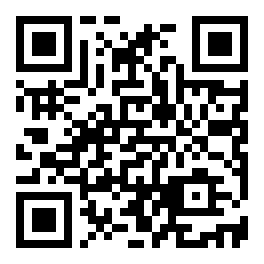
Scan with the phone camera and the same download page opens, file included.
Five steps from file to first bet
The install takes a few minutes on a normal Android phone. Do the steps in order, and note that step one is the reason most installs fail.
-
1
Allow your browser to install
Open Settings, then Security, then Install unknown apps, and pick the browser you download with. Android grants this per app, so na33 is the only thing you approve. Without this switch the APK downloads perfectly but never opens an installer.
-
2
Pull the 28 MB file
Come back to this page and tap Download APK. At 28 MB the file is small enough for mobile data, no Wi-Fi needed. Watch the notification until it reads complete, then open your Downloads folder or tap that notification.
-
3
Run the package and read the permissions
Tap na33.apk. Android shows the installer, then the permission list, then asks you to confirm. If a Play Protect panel appears, open More details and continue, since that warning is about an unfamiliar developer rather than a virus finding.
-
4
Let it finish writing files
Keep the screen on and the installer in front until the button turns into Open. The na33 icon then appears in your app drawer. If the installer closes on its own, the download is incomplete far more often than the phone is broken.
-
5
Sign in and fund the account
Open na33 and log in with the phone number or username you already use on the site. No account yet? Register first, then deposit from ৳200. The 175% first deposit bonus lands on that payment, up to ৳17,000.
On an iPhone, add na33 to the home screen
There is no iOS package to install, so skip every page that offers one.
- Open Safari and go to na33.im. Chrome on iOS cannot add a site to the home screen.
- Tap the Share button in the toolbar, then scroll the sheet until you see Add to Home Screen.
- Name the shortcut na33 and tap Add. The icon now opens the site full screen, without the address bar.
- Log in once and let Safari save the password, so the next tap goes straight to your balance.
That shortcut is a bookmark, not a program. It takes no noticeable storage and picks up every change the moment you open it. Deposits, withdrawals and KYC work exactly the same as in the Android app.
Inside the lobby: slots, live tables and the cricket board
The app carries the full catalogue, 1,500 games from FA Chai, PG Soft, CQ9, KA Gaming, Pragmatic Play, Habanero and Sexy Gaming. A provider filter narrows the wall, and the search box finds a title in a couple of taps.

- SlotsReels from Sexy Gaming, PG Soft, KA Gaming and Pragmatic Play, with bet floors as low as ৳1 on titles like Genie 3 Wishes.
- FishingGod of Fish Slicing and Relax Fishing, where the aim is to land a catch rather than line up symbols.
- Live dealerCroupier tables streamed from a studio, and the heaviest part of the app on mobile data.
- Lottery and wheelsKeno and wheel rounds that settle in seconds, useful for a short session.
- SportsCricket and football markets pre-match and in play, including BPL and T20 fixtures.


What the installed app does that a tab cannot
Keeps you signed in
A browser tab loses your session as soon as Android clears memory. The app holds it, so you come back to the same bet slip after a phone call or a switch to another app.
Cashier on the same screen
Deposits from ৳200 through bKash, Nagad, Rocket, Upay or bank transfer are two taps from the lobby. Withdrawal requests start at ৳1,200 and usually arrive in about 41 minutes.
Faster in-play cricket
Prices on a running match refresh in place instead of reloading the page, which matters when you are reading the required run rate in a tight over.
KYC from the phone
Photograph your NID, passport or driving licence and upload it without a laptop. Review takes about 6 hours and has to clear before your first withdrawal.
One wallet, one history
Balance, bonus progress and bet history match the website line for line, because both read the same na33 account rather than a copy of it.
Live Chat that is awake
Support runs 24/7 from inside the app. Have your user ID and the transaction reference ready and most deposit questions are solved in one message.
App or browser: choose what stays on your phone
Both doors lead to the same account, so this is about how you like to play rather than what you can reach. The table below is the honest difference.
| What you are doing | Installed na33 app | Mobile browser |
|---|---|---|
| First setup | Download 28 MB, approve one install, sign in. A few minutes, once. | No install at all. Open na33.im and log in whenever you need it. |
| Phone storage | 28 MB, plus a small cache that grows with play and can be cleared. | Almost nothing beyond the browser cache you already carry. |
| Staying logged in | Session survives other apps and long breaks between bets. | Android and iOS clear tabs to free memory, so expect to log in again. |
| Live betting | Prices update in place while you watch an over or a half. | Works, but a manual refresh costs a second on a slow connection. |
| Live dealer video | Plays in the app window with fewer dropped frames on mid-range phones. | Depends on the browser; older handsets struggle with a full table. |
| Updates | Install the new APK over the old one when we publish a build. | Always the newest version the moment you reload the page. |
| Mobile data | Account data only; video is the heavy part, same as on the site. | Same, plus page assets on every cold load. |
| Best for | Daily players who bet from the same phone all week. | Occasional logins and phones with very little free space. |
Permissions, file checks and account safety
An APK is not a link. Once installed it runs on your phone, so the file source and the permission list deserve a minute of attention.
Only take the file from this page
The download button here points to na33.apk on our own server. Copies passed around in Facebook groups or APK mirrors are repacked by strangers and rarely match version 3.4.8 or the 28 MB size.
What the app actually asks for
Network access for the lobby, storage for images and downloaded files, and permission to show notifications. It never needs your contacts, call log or SMS, and no cashier screen asks for your bKash PIN.
Read the Play Protect panel properly
Google scans unknown packages and warns when a developer is not in its registry. Tap More details, check the package name and version, then continue. The message means unfamiliar, not infected.
Protect the account behind the app
Use a password you do not reuse, never share the OTP that arrives by SMS, and finish KYC with a photo of your NID before your first withdrawal. The full document list is on the withdrawal guide.
When the install stops halfway
Five failures cover nearly every install problem we hear about. Match what you see on screen with the middle column before you try anything else.
| What you see | Why it happens | What to do |
|---|---|---|
| “App not installed” | The APK downloaded partially, or the phone is out of free space. | Delete na33.apk, free some storage, download again on Wi-Fi and tap the fresh file. |
| “Blocked by Play Protect” | The package comes from a developer outside the Play Store registry. | Open More details, choose Install anyway, then confirm version 3.4.8 in Settings > Apps. |
| The unknown apps switch is greyed out | Some Android builds hide that permission under special access. | Go to Settings > Apps > Special access > Install unknown apps, pick your browser, allow it. |
| The installer opens and closes at once | An older file with the same name is still sitting in downloads. | Clear the browser download history, then pull na33.apk again from this page only. |
| Login or cashier page stays blank | An old build with a cached cashier screen, or mobile data dropped. | Update the app, clear its cache in Settings > Apps > na33, then sign in through the login page. |
na33 app questions, answered straight
Short answers to what players ask Live Chat before and after installing the APK.